Back to docs
Product Basics
Account Overview and Daily Workflow
Understand your account surfaces and run a daily product workflow in under 5 minutes.
Audience: All customersTime: 8-12 minutes
Updated April 2026
Before you begin
- Account access
Table of contents
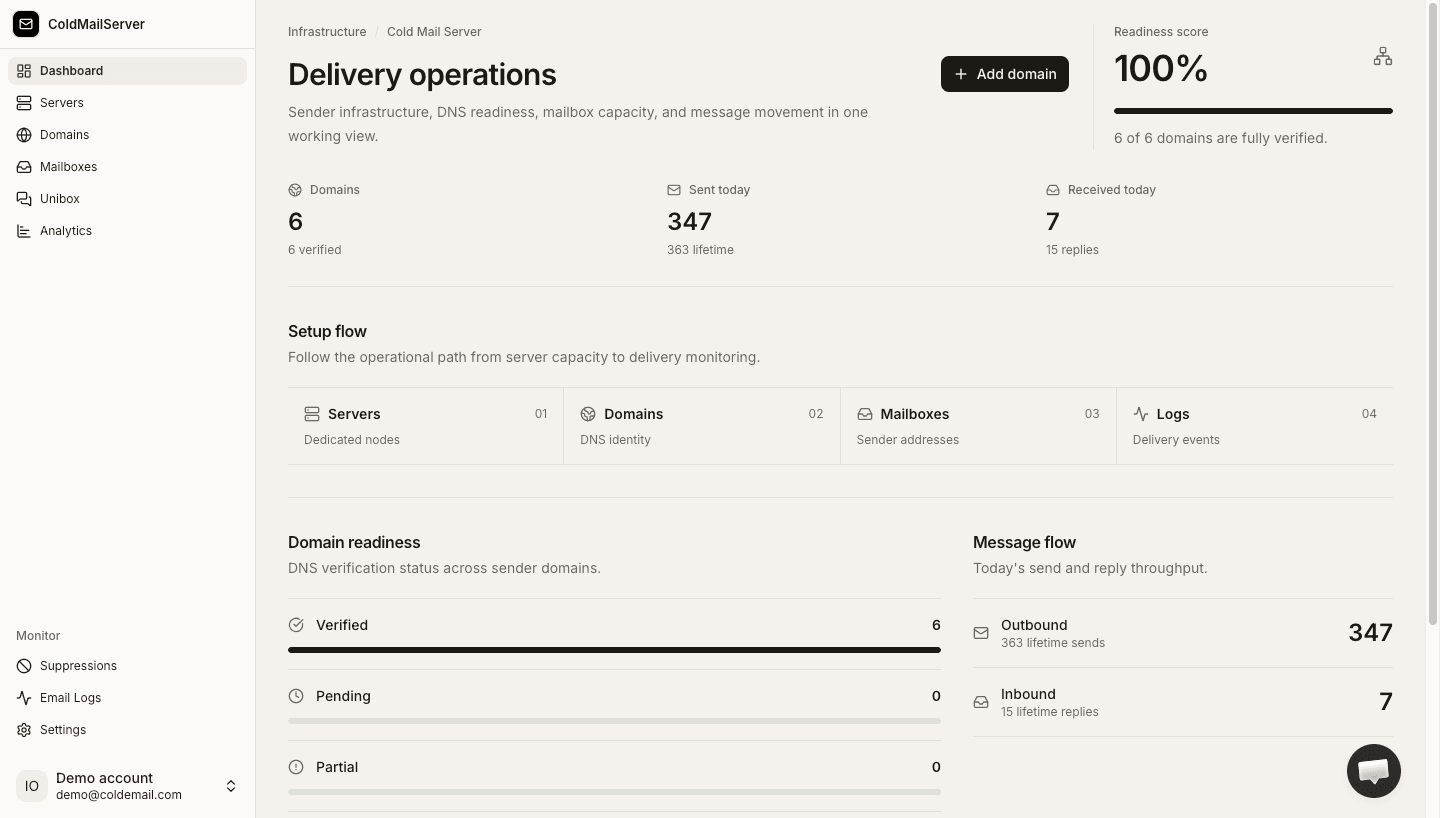
1) What the top metrics mean
Your top cards help you quickly assess account health.
- Total domains shows how many domains are configured.
- Sent today helps you track current outbound activity.
- Received emails helps monitor inbound flow if enabled.
- Active auth keys shows how many mailbox auth keys can currently authenticate sends.
Top stats cards
Capture the dashboard stats section with labels and values clearly visible.
2) A recommended daily checklist
Use this routine to stay ahead of issues.
- Review domain statuses for anything pending or failed.
- Check Email Logs for failed or bounced messages.
- Confirm active campaigns are using expected mailbox identities.
- Review auth key activity for unknown or inactive keys.
Daily workflow walkthrough
Capture dashboard and linked sections in sequence to illustrate a fast daily review routine.