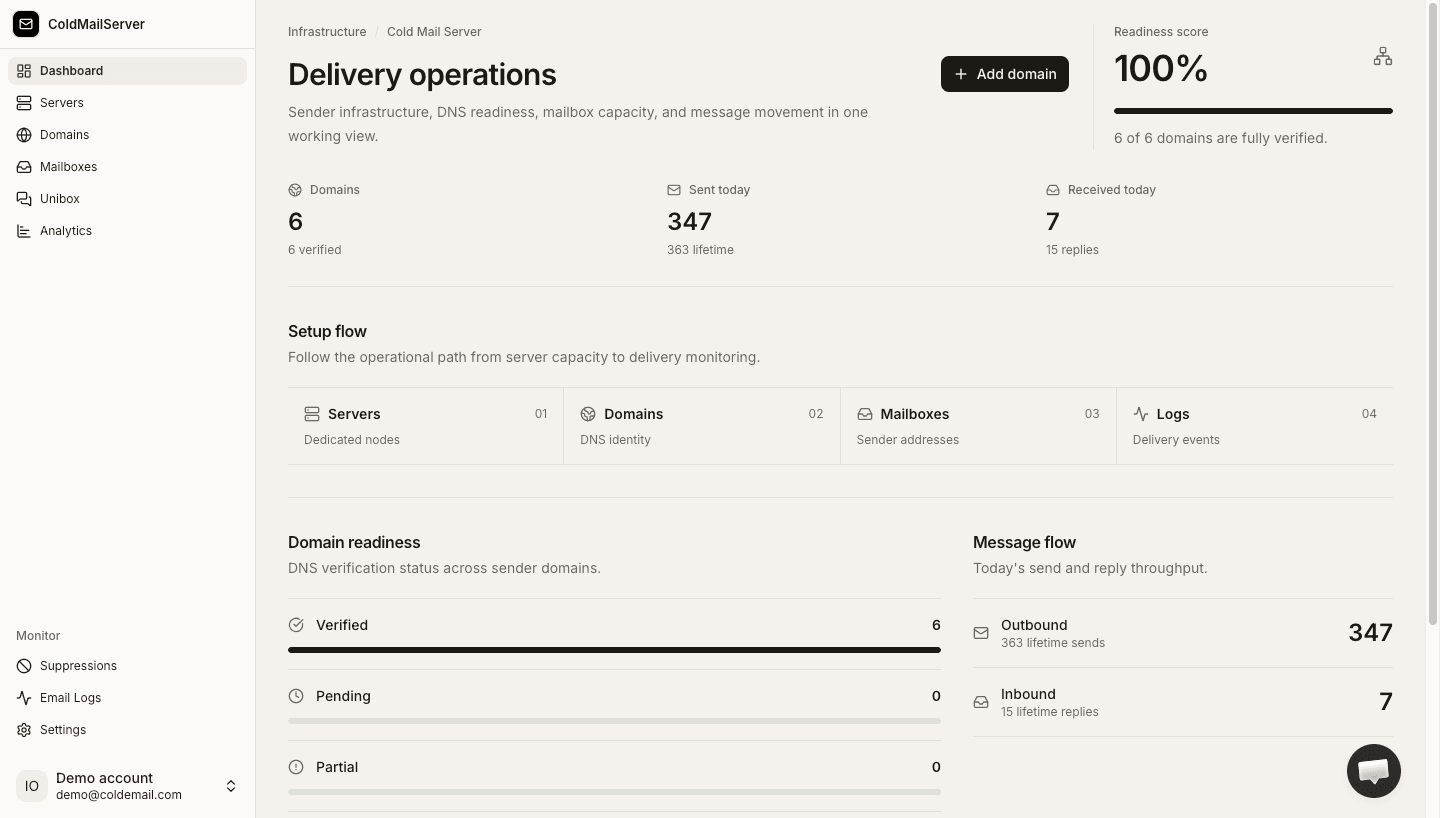
See Cold Mail Server in 2 minutes
Watch our quick 2-minute walkthrough showing how to connect a domain, verify DNS, and provision mailboxes — or toggle to the interactive click-through tour to test drive it yourself.
Every other option has a serious flaw
Cold email infrastructure is broken for most teams. The numbers tell the story.
of teams running cold email on Google or Microsoft have had at least one account suspended without warning.
Most self-hosted SMTP and shared platforms force a 4–6 week warmup ramp before you can send at scale.
Per-seat pricing from Mailreef, Aerosend, and Mailforge means 200 mailboxes = $500/mo. Cold Mail Server: $49 flat.
Fully isolated servers
Your deliverability is yours alone.
Every customer gets a dedicated, isolated mail server environment. Your sending reputation is completely separate from every other sender on the platform. One bad actor elsewhere cannot tank your inbox placement.
No warm-up period
Send from day one.
Our servers come pre-warmed and pre-configured. You plug in your domain, add your mailboxes, and start sending immediately. No 4-week ramp schedule, no artificial send limits while you build reputation.
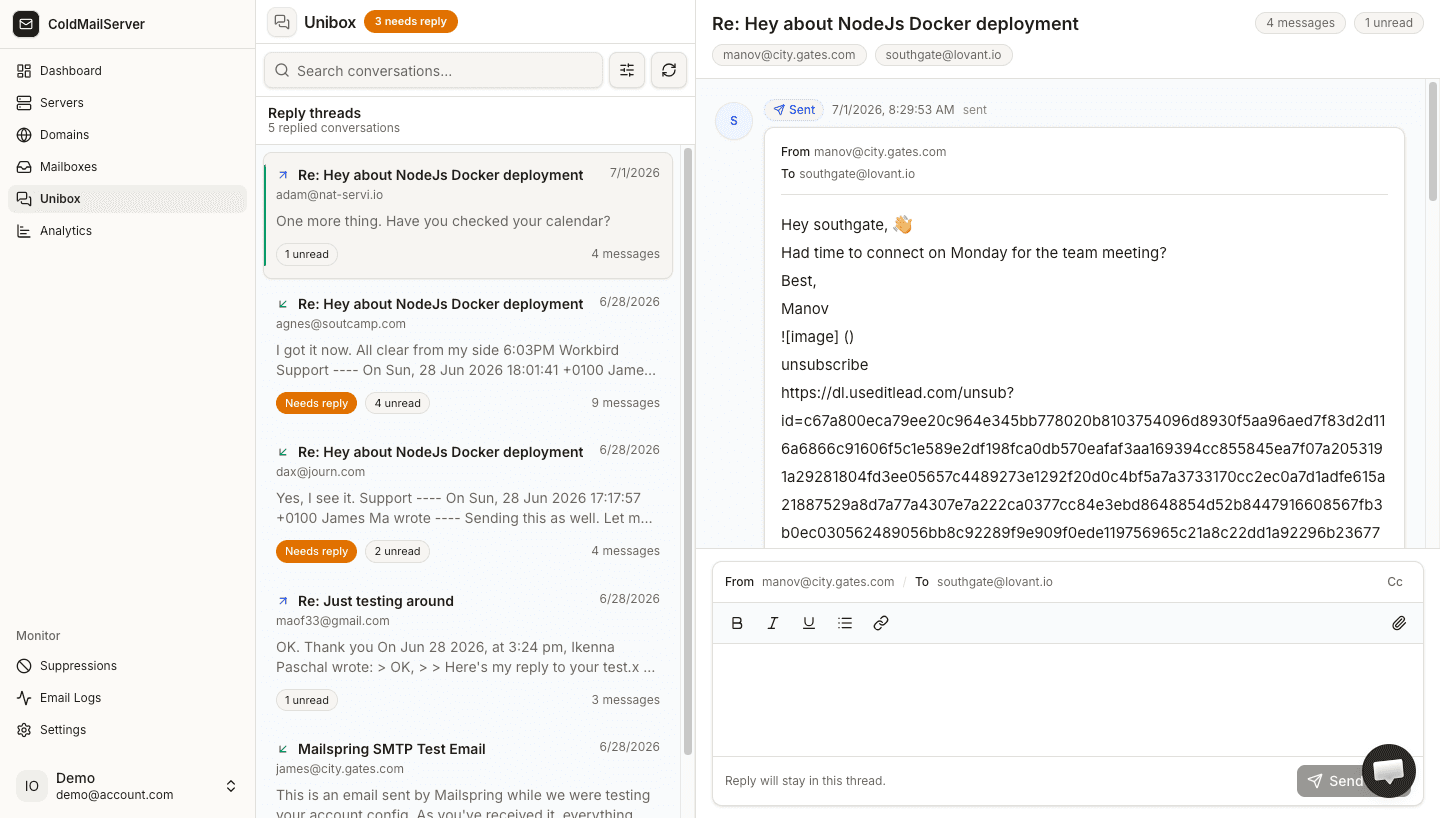
Built-in Unibox
Every reply, one feed.
Running 50 mailboxes across 15 domains? You should not need to check 50 inboxes. Our built-in Unibox aggregates all inbound replies across every mailbox into a single unified interface.
Deliverability dashboard
Real-time observability.
Monitor bounce rates, spam report rates, authentication status, and sender health per domain and per mailbox. When something goes wrong, you know about it before it impacts your campaign.
Unlimited domains & mailboxes
One flat price.
Add 10 domains or 500 domains. Create 20 mailboxes or 2,000. Your plan price does not change. This is why teams running serious outbound operations choose Cold Mail Server over per-seat alternatives.
Infrastructure for email platforms & sequencing tools
Are you building an email sequencing platform, outreach CRM, or running a high-volume outbound marketing agency? Stop managing mail servers and handling deliverability DevOps yourself.
Connect to our SMTP API to provision dedicated server containers, bind IP pools, and configure domains programmatically for your customers via simple REST webhooks.
How we compare to every alternative
We don't hide the trade-offs. Here is exactly how Cold Mail Server stacks up.
| Capability | Cold Mail Server | Self-Hosted | Google / MSFT | Mailreef / Others |
|---|---|---|---|---|
| Account bans | Never — built for outbound | No bans, full ops burden | Common, no warning | Rare but possible |
| Warm-up required | No — pre-warmed servers | Yes — weeks of ramp | N/A (low volume) | Varies by plan |
| Pricing model | $49–499/mo flat | Server + ops + sanity | $8.40/mailbox/mo | $240+/mo + usage |
| Server isolation | ✓ Always dedicated | ✓ You manage it | ✗ Shared infra | Dedicated IP available |
| Built-in Unibox | ✓ Included | ✗ Build it yourself | ✗ Not for outbound | ✗ Not included |
| Deliverability dashboard | ✓ Per-domain, per-mailbox | ✗ Manual log parsing | ✗ None | Basic metrics |
| Setup time | < 1 hour | Days to weeks | Hours (limited use) | 1–2 hours |
Simple, predictable pricing
Every plan includes unlimited domains, unlimited mailboxes, built-in Unibox, and full deliverability dashboard. No per-seat pricing.
*Stated daily volume represents maximum unlockable capacity, enforced and unlocked gradually based on clean sending behavior and network anti-abuse policies.
Ready to send?
Set up your dedicated server cluster, add your domains and mailboxes, and start hitting inboxes safely with automated deliverability protection.